
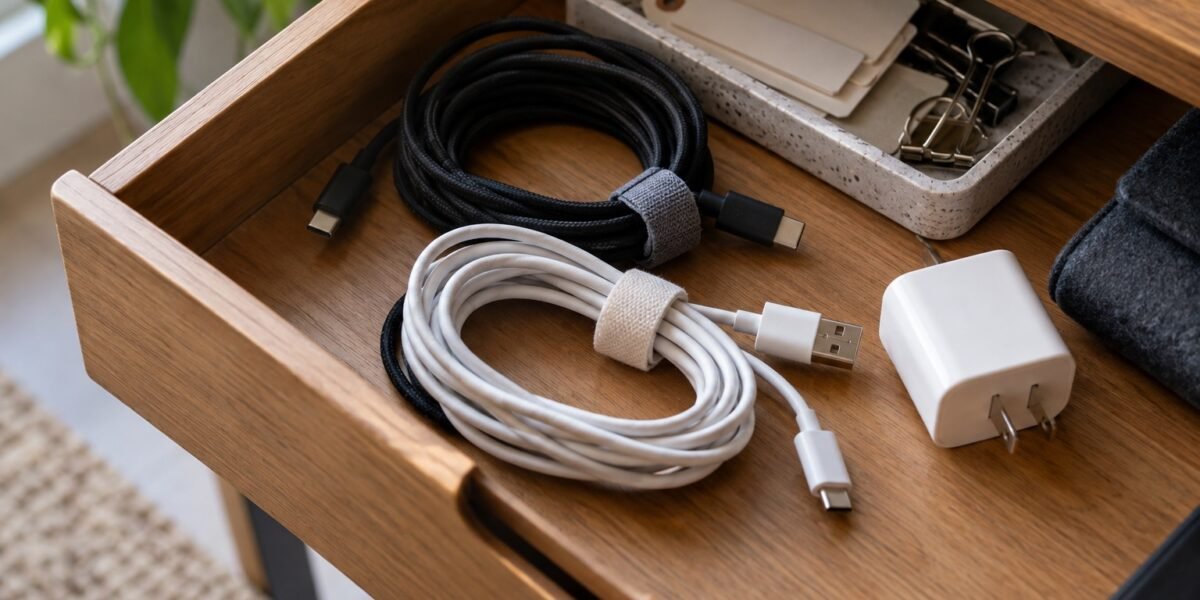
A drawer of cables becomes frustrating when every cord looks vaguely useful and none is easy to identify. The answer is not necessarily a larger organizer. Start by connecting each cable to a purpose, then give the useful ones a place that is easy to maintain.
This is a sorting workflow for ordinary detachable charging and data cables. It is not a guide to repairing electrical equipment or testing unknown power adapters. Keep your current working setup intact while you sort the loose extras.
Gather the loose cables without dismantling everything
Collect the cords from drawers, travel pouches, and unused bags. Leave permanently connected equipment alone for now. Work on one surface and keep each cable beside any packaging or device it clearly belongs to.
Set aside visibly damaged cables rather than putting them into the everyday pile. Split insulation, exposed wiring, bent connectors, or a history of unreliable operation are reasons to stop using a cable and seek the manufacturer’s replacement guidance. Do not plug in questionable equipment just to discover what it is.
Match cables to devices you still own
Make a small list of the things you actually charge or connect: phone, headphones, laptop, camera, portable drive, and any older device still in use. Beside each, note the cable you already know works for its intended task.
Group unidentified cables separately. A connector that fits is not proof that the cable supports every function of the device. For example, a cord used to charge a phone is not automatically the right choice for connecting a high-resolution display or transferring a large archive at the fastest supported speed.
Record capabilities you can verify
Read markings, original packaging, purchase records, and the manufacturer’s specifications. The USB Implementers Forum’s cable guidance distinguishes cable capabilities and describes power and data-rate markings for its certification program. Treat the connector shape as a starting point, not a complete specification.
If the documentation only confirms ordinary charging for a particular device, label that purpose. Do not add a wattage, transfer speed, or video claim from memory. An older unmarked cable is not automatically defective, but an unknown capability should stay unknown until you have a reliable source for it.
Label the job rather than creating a code to memorize
Use a small removable tag or a label on the storage pocket. “Headphones,” “camera transfer,” and “laptop travel cable” are more useful than a color system nobody remembers. Keep labels clear of connector contacts and avoid wrapping anything over damage to make a cable appear repaired.
For a shared household, add the owner’s name when needed. If a cable is tied to a particular charger, store the pair together while unplugged. Keep the label brief enough to read without uncoiling the entire bundle. A useful label should answer what you can confidently use the cable for.
Make one daily kit and one reserve area
Put frequently used cables where you use them. Store travel cords in a small pouch and keep occasional spares in one shallow compartment. Loosely coil cords without sharp bends or tension and use a reusable tie rather than forcing them into a tight shape.
Choose the container after sorting. Our one-drawer organization guide helps keep the storage area from becoming a catch-all again. Avoid packing a powered charger into the storage pouch; follow its instructions for use and ventilation.
Resolve the unknown pile before it becomes permanent
Give yourself a specific follow-up task: identify a cable from its order history, ask the household who owns it, or check a device manual. If you keep one for an older device, write the device name on its pocket. “Maybe useful someday” is too vague to maintain indefinitely.
Before disposing of anything, check local electronics collection guidance and whether that program accepts cables. Keep your working replacements until the new arrangement has proved practical. When a new device arrives, label its cable at the same time; that small step prevents another anonymous drawer later.
Cover: AI-generated illustrative scene, not a documentary photograph or a tested product.
Emma · Daycraftly
A good deal is more than a crossed-out price. I’m all about clever finds, useful products, and checking what you actually get for your money. From AliExpress discoveries to everyday essentials, my focus is on the details behind the offer: materials, features, seller information, and return terms. Think less impulse-buy clutter and more things you’ll be glad you found.
Join the conversation
Share a useful tip or ask a question. Comments are reviewed before publication. Your email address will not be displayed.



Leave a Reply